Download and upload are two common terms you see when using a computer, phone, website, or app. They describe two different directions for moving data.
The simple rule is:
Download = data comes to your device.
Upload = data leaves your device.
For example, when you save a PDF from a website to your phone, you download the PDF. When you send a photo from your phone to Facebook, you upload the photo.
Once you understand which way the data is moving, the difference becomes easy to remember.
What Is the Difference Between Download and Upload?
The main difference is the direction of data transfer.
| Download | Upload |
| Data comes to your device | Data leaves your device |
| Internet/server → device | Device → internet/server |
| You receive data | You send data |
| Download a file from a website | Upload a file to a website |
| Receive a photo from cloud storage | Send a photo to cloud storage |
A download moves data from another computer, server, website, or online service to your device.
An upload moves data from your device to another computer, server, website, or online service.
The easiest way to remember
Think about the direction:
Internet → Your device = Download
Your device → Internet = Upload
This works for many everyday activities.
If you get a file from Google Drive and save it on your computer, you download it.
If you send a file from your computer to Google Drive, you upload it.
What Does Download Mean?
Download means receiving or copying data from a remote computer, server, website, or online service to your own device.
Your device can be a:
- Computer
- Laptop
- Smartphone
- Tablet
You can download many types of content, including:
- PDF files
- Images
- Videos
- Music
- Documents
- Apps
- Software
- Web pages
- ZIP files
For example, suppose your teacher sends you a PDF through a website. You click the download button and save the PDF to your computer.
The file moves from the website to your computer.
That is a download.
Common download examples
Here are some everyday examples:
Downloading a PDF:
You get a PDF from a website and save it to your device.
Downloading an app:
You get an app from an app store and install it on your phone.
Downloading a photo:
You save an online image to your phone or computer.
Downloading a video:
You save a video from a service that allows downloads.
Downloading software:
You get an installation file from a software website.
In each case, the data moves toward your device.
What Does Upload Mean?
Upload means sending or copying data from your device to a remote computer, server, website, or online service.
You upload something when you send it from your phone or computer to an online service.
Common examples include:
- Uploading a photo to Facebook
- Uploading a video to YouTube
- Uploading a document to Google Drive
- Uploading an assignment to a school website
- Uploading a file to a work platform
- Uploading a profile picture to an account
For example, you take a photo with your phone and post it on Facebook.
The photo moves from your phone to Facebook’s servers.
That is an upload.
Common upload examples
Uploading a photo:
You send a photo from your phone to a social media website.
Uploading a video:
You send a video from your computer to YouTube.
Uploading a document:
You send a Word document to a cloud storage service.
Uploading an assignment:
You submit your school work through an online portal.
Uploading a profile picture:
You select a picture from your device and add it to your online account.
The key point is that the data starts on your device and moves to an online service or another computer.
Download vs Upload: Simple Examples
The easiest way to understand download vs upload is to look at common situations.
Example 1: Google Drive
Suppose you have a document on your computer and want to store it in Google Drive.
You send the document from your computer to Google Drive.
Computer → Google Drive = Upload
Now suppose you want to get that document back onto your computer.
The file moves from Google Drive to your computer.
Google Drive → Computer = Download
Example 2: Social media
You take a photo with your phone and post it on Facebook.
Phone → Facebook = Upload
Someone sends you a photo through an online service and you save it to your phone.
Online service → Phone = Download
Example 3: School assignment
Your teacher asks you to submit an assignment through a website.
You select the document on your computer and send it to the website.
That is an upload.
Later, you download a study guide from the same website.
That is a download.
Example 4: Email
You attach a photo to an email and send it.
The photo is sent from your device to the email service.
That is an upload.
When you receive an attachment and save it to your computer, you download it.
Example 5: Cloud storage
Cloud storage makes the difference easy to see.
Computer → Cloud storage = Upload
Cloud storage → Computer = Download
The same file can be uploaded and downloaded at different times.
How Do You Remember Download vs Upload?
Use one simple question:
Where is the data going?
If the data is coming to your device, it is a download.
If the data is going from your device, it is an upload.
You can also remember these two words:
Download = receive
Upload = send
For example:
I downloaded the report from the website.
You received the report.
I uploaded the report to the website.
You sent the report.
This simple rule works for most everyday file transfers.
Is Download the Same as Saving a File?
Not exactly.
Downloading means getting data from another location and transferring it to your device.
Saving means storing data in a particular location.
These actions can happen together, but they are not the same thing.
For example, you click Download on a PDF.
The PDF moves from the website to your computer. You may then save or move that file to another folder.
You can also save a file that was already on your device without downloading it.
For example, if you create a Word document and save it to your desktop, you did not download it.
You simply saved the file.
So:
Download = receive data from another location
Save = store data in a location
This difference can help you use the words correctly.
Is Uploading the Same as Sharing a File?
No. Uploading and sharing are related, but they are not the same action.
When you upload a file, you send it from your device to a website, server, or online service.
When you share a file, you give another person access to that file.
For example, you upload a PDF to Google Drive.
That is an upload.
You then send your friend a link that lets them view the PDF.
That is sharing.
A file can be uploaded without being shared.
A file can also be shared after it has already been uploaded.
Should You Say “Download From” or “Download To”?
Both download from and download to can be correct, but they describe different parts of the transfer.
Use download from when you name the source.
For example:
Download the PDF from the website.
The website is the source.
Use download to when you name the destination.
For example:
Download the PDF to your computer.
Your computer is the destination.
You can use both in one sentence:
Download the PDF from the website to your computer.
This tells the reader both where the file starts and where it goes.
Should You Say “Upload To” or “Upload From”?
The same idea applies to upload to and upload from.
Use upload to when you name the destination.
Upload the photo to Facebook.
Facebook is the destination.
Use upload from when you name the source.
Upload the photo from your phone.
Your phone is the source.
You can combine both:
Upload the photo from your phone to Facebook.
This sentence clearly shows the complete direction:
Phone → Facebook
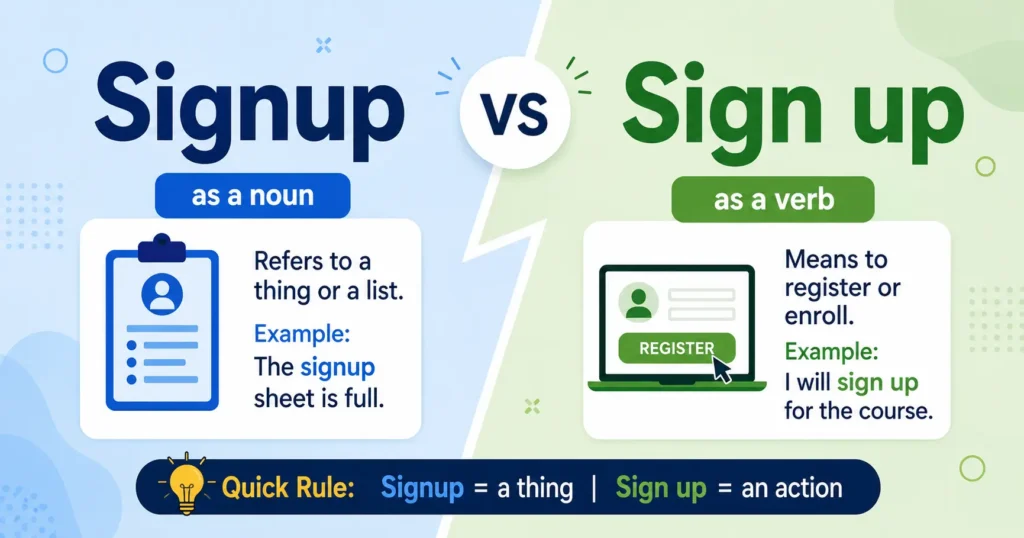
For more common word and usage questions, you can also see our guides on signup vs sign up and set up vs setup.
What Is the Difference Between Download and Upload Speed?
Download speed and upload speed describe how quickly data moves between your device and the internet.
Download speed measures how quickly data comes from the internet to your device.
Upload speed measures how quickly data goes from your device to the internet.
Internet speed is often measured in Mbps, which means megabits per second.
Activities that use download speed
Download speed matters when your device receives a lot of data.
Examples include:
- Watching online videos
- Browsing websites
- Downloading files
- Downloading apps
- Streaming music
- Receiving large files
- Loading online content
For example, when you stream a video, data travels from the service to your device.
That mainly uses your download speed.
Activities that use upload speed
Upload speed matters when your device sends data to an online service.
Examples include:
- Uploading videos
- Sending large files
- Making video calls
- Backing up files to cloud storage
- Live streaming
- Sending photos
- Uploading security camera footage
A video call uses both download and upload speed. You receive video and audio from the other person, while your device sends your own video and audio.
Download and upload speeds can be different. Some internet connections offer much higher download speeds than upload speeds, while some connections, such as many fiber services, can offer similar speeds in both directions.
The important point is that download speed and upload speed describe how fast data moves, while download and upload describe the direction of the data transfer.
What Are Common Download and Upload Mistakes?
People often mix up these terms because both involve moving data.
Here are some common mistakes.
Mistake 1: Thinking download means sending
Download does not mean sending a file from your device.
If you send a file from your phone to a website, you are uploading it.
Mistake 2: Thinking upload means receiving
Upload does not mean receiving data.
If a website sends a file to your computer, you are downloading it.
Mistake 3: Thinking download always means saving
Downloading often results in a file being saved on your device, but download and save do not mean the same thing.
Mistake 4: Thinking upload means sharing
Uploading a file does not automatically mean another person can access it.
You can upload a private file to cloud storage without sharing it.
Mistake 5: Confusing speed with direction
Download and upload describe direction.
Download speed and upload speed describe how fast the data moves.
Keeping these two ideas separate makes the terms much easier to understand.
Download vs Upload: Quick Comparison
Here is a simple comparison you can use as a quick reference:
| Question | Download | Upload |
| What happens? | You receive data | You send data |
| Direction | Internet → Device | Device → Internet |
| Source | Website, server, or online service | Your phone or computer |
| Destination | Your device | Website, server, or online service |
| Example | Download a PDF | Upload a PDF |
| Common use | Watching or receiving content | Sending or submitting content |
| Speed type | Download speed | Upload speed |
The easiest rule is:
Coming to you = download
Going from you = upload
Frequently Asked Questions
Is uploading sending or receiving?
Uploading means sending data from your device to another system.
For example, sending a photo from your phone to Facebook is an upload.
Is downloading sending or receiving?
Downloading means receiving data on your device.
For example, getting a PDF from a website and saving it to your computer is a download.
What is the difference between download and upload speed?
Download speed measures how quickly data comes from the internet to your device. Upload speed measures how quickly data moves from your device to the internet.
Is downloading the same as saving?
No. Downloading means receiving data from another location. Saving means storing data in a location. A download can result in a saved file, but you can also save files that were already on your device.
Is uploading the same as sharing?
No. Uploading sends a file to a website, server, or online service. Sharing gives another person access to a file or its link. You can upload a file without sharing it.
Do I upload or download a file to a website?
You upload a file to a website because the file moves from your device to the website.
For example:
Upload your assignment to the school website.
If you get a file from the website and move it to your computer, you download it.
Final Thoughts
The difference between download vs upload is mainly about direction.
Download means data comes to your device.
Upload means data goes from your device to another system.
If you download a file, you receive it. If you upload a file, you send it.
Remember this simple rule:
Internet → Device = Download
Device → Internet = Upload
Once you know which direction the data is moving, it becomes much easier to choose the right word.
For more English word and usage help, check our guides on seeing vs seing and backup vs back up.